The Managers tab is your control center for assigning, viewing, and managing users with access to your clinic locations. Knowing where to find it keeps your team organized and secure.
Why it’s important:
- Lets you view all managers across clinic locations
- Helps you assign or remove access as your team changes
- Keeps clinic responsibilities clearly defined
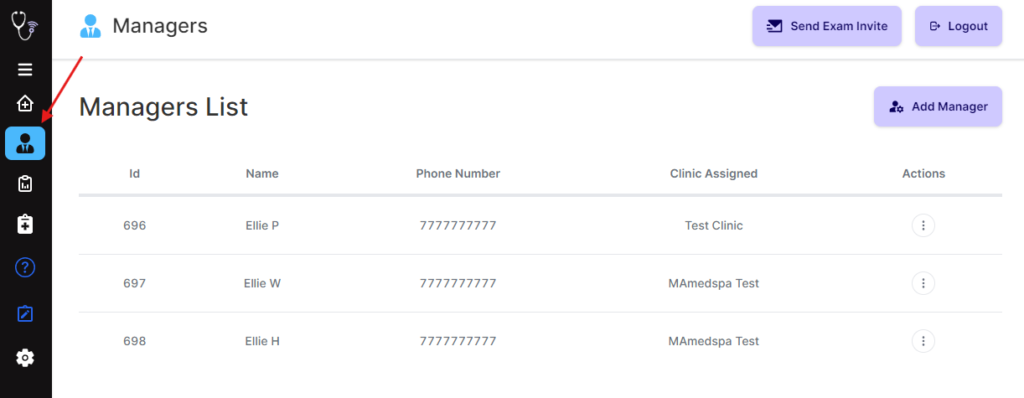
To access your Managers tab, login to the Qualiphy portal and press on Managers in your Dashboard.
All the managers you have added are displayed. Information for each manager is assigned via a number of columns that include ID, Name, Phone Number, Clinic Assigned, and Actions.
Comments
0 comments
Article is closed for comments.